CoreScribe
Ready
0:00
LocalCapture
CoreScribe for Mac
Tired of this?
The dictation key. You press it, you talk, and then you fix what it typed.
It hears the words.
This is what Apple’s speech recognizer heard in one real take, on this Mac. Every word, including the “ah”, in one run-on paragraph.
Now hold ⌘P.
The same Apple engine on the same Mac. CoreScribe measures your voice in 18 pitch bands while Apple’s recognizer finds the words.
Play this take, or hold the circle to see your own voice. It never leaves this tab.
Let go. It writes.
CoreScribe typed the list you counted out and dropped the “ah”, then checked the text before it reached your app: 0.24 seconds for 8.6 seconds of speech, without uploading anything.
Same Apple technology. A different result.
| The dictation key | Siri | CoreScribe | |
|---|---|---|---|
| Where your voice goes | Your Mac, or Apple’s servers, depending on your Mac and language | Your device, or Apple’s Private Cloud Compute servers for larger requests | Your Mac. With the iPhone Remote, your own network. Nothing to a cloud. |
| Lists, numbers and dates as you talk | Punctuation, and commands such as “new line” | Not a dictation tool | Numbered lists from how you count, numbers, dates, letters and sign-offs |
| AI rewriting | None | Writing Tools rewrite text you select | Apple’s on-device model, only when a take needs it, and CoreScribe rejects any edit that changes a number or adds words |
| Your own words | No vocabulary for dictation (Voice Control has one) | — | The corrections you approve, kept on this Mac |
| Control your Mac by voice | No (Voice Control does) | App actions and settings | Open apps, snap and tile windows, search: hold ⌥⌘P |
Sources: Apple, Use Dictation on Mac · Apple, Private Cloud Compute · Apple, Writing Tools · Apple, Voice Control. Checked 29 September 2026.
Requires macOS 27. Apple Silicon optimized, local-first dictation, available by request.
1 · Hear
What your Mac measures when you talk
- Hold ⌘P and speak. This is push-to-talk, so the microphone is on only while you hold the keys. For hands-free dictation you can switch to double-tap or tap-to-toggle.
- The microphone signal is measured 48,000 times a second. Plotted over time, that gives a waveform, which shows loudness but not pitch.
- The signal is split into 18 pitch bands, from 90 Hz (a low rumble) to 7.2 kHz (the hiss of an “s”). Every 80 milliseconds, CoreScribe measures how much of your voice falls in each band.
- Low pitches show green, middle pitches lavender, high pitches amber. The bright line is the present, and older sound scrolls off to its left.
- Boxes mark the loudest stretches, which are usually where you were speaking.
Real This is CoreScribe’s own analysis of a recorded take. It draws the pill on your Mac and the island in CoreScribe Remote (in development). CoreScribe’s own analysis.
2 · Understand
How the sound becomes text
8 kHz80 Hz
- Illustration A speech recognizer analyzes the sound in finer detail, using dozens of pitch bands updated every ten milliseconds.
- Apple’s speech recognizer runs on your Mac. It reads the sound in slices and proposes words, each with a score for how sure it is.
- Where it isn’t sure, it keeps alternative words and picks the likeliest one. Words it is unsure about are marked in amber.
- 0.24 seconds is how long the recording Mac took to turn 8.6 seconds of speech into text, without uploading the audio.
Real The words, their timings, how sure the recognizer was about each, and the alternatives it kept come from Apple’s on-device SpeechTranscriber, the engine CoreScribe uses. Apple’s on-device recognizer.
Then CoreScribe cleans up the text
Six cleanup steps run in order, all on your Mac. Each edits one kind of thing and leaves the rest alone.
- Spoken marksSay “new line” or “bullet point” and CoreScribe adds it. It adds no formatting you didn’t say aloud.
- FillersUm, uh and false starts come out.
- Numbers & datesTimes, money, dates, email addresses and phone numbers are written the way you’d type them.
- Lists & lettersCount items out loud and they become a numbered list. A greeting and a sign-off give you a letter layout. No words are added.
- Your correctionsYour approved corrections and added terms are applied, and stay on this Mac.
- Polished · Apple IntelligenceWhen a take needs it, Apple’s on-device language model fixes grammar and punctuation.
A second take
CoreScribe checks Apple Intelligence’s edits.
When a take has grammar or punctuation problems, Apple’s on-device language model fixes the sentence. CoreScribe checks that edit before any of it is typed.
Heard
Polished on this Mac
CoreScribe throws the edit away and types your words exactly as you said them if the edit:
- changes any number
- adds content you didn’t say
- drops more than a tenth of what you said
- makes the text much longer or shorter
- takes longer than 1.6 seconds
Takes that need no fixes skip the model. Lists and letters skip it too, so it can’t reflow your layout. Code editors and the Clinical profile never use it.
3 · Write
CoreScribe types where your cursor is
Text goes straight into the field you’re in through macOS Accessibility. When an app won’t accept that, CoreScribe pastes it and then puts your clipboard back.
What it types depends on the app
- Paragraphs, the way a letter reads.
- Chat
- Sentences, ready to send.
- Code and AI prompts
- Exactly what you said. Never polished or paraphrased.
- Notes
- Paragraphs, with lists when you dictate them.
A Clinical profile for ophthalmic notes
The Clinical profile keeps ophthalmic abbreviations such as OD and OS, formats spoken measurements such as 20/40 and 15 mmHg, and never polishes your text or uses the optional cloud text tools. Speech is recognised on your Mac, and CoreScribe has no servers that receive your audio or text.
You say
“OD visual acuity twenty over forty, IOP fifteen millimeters of mercury”
CoreScribe writes
OD visual acuity 20/40, IOP 15 mmHg
A separate take, in Spanish, for the left eye (OI)
“OI agudeza visual veinte sobre cuarenta, PIO quince milímetros de mercurio”
OI agudeza visual 20/40, PIO 15 mmHg
Demonstration text from CoreScribe’s clinical tests, not a patient record. Always review before anything enters a record.
Set up CoreScribe in Studio
Studio is the CoreScribe window for your history, vocabulary and settings. Everything in it is stored on this Mac.
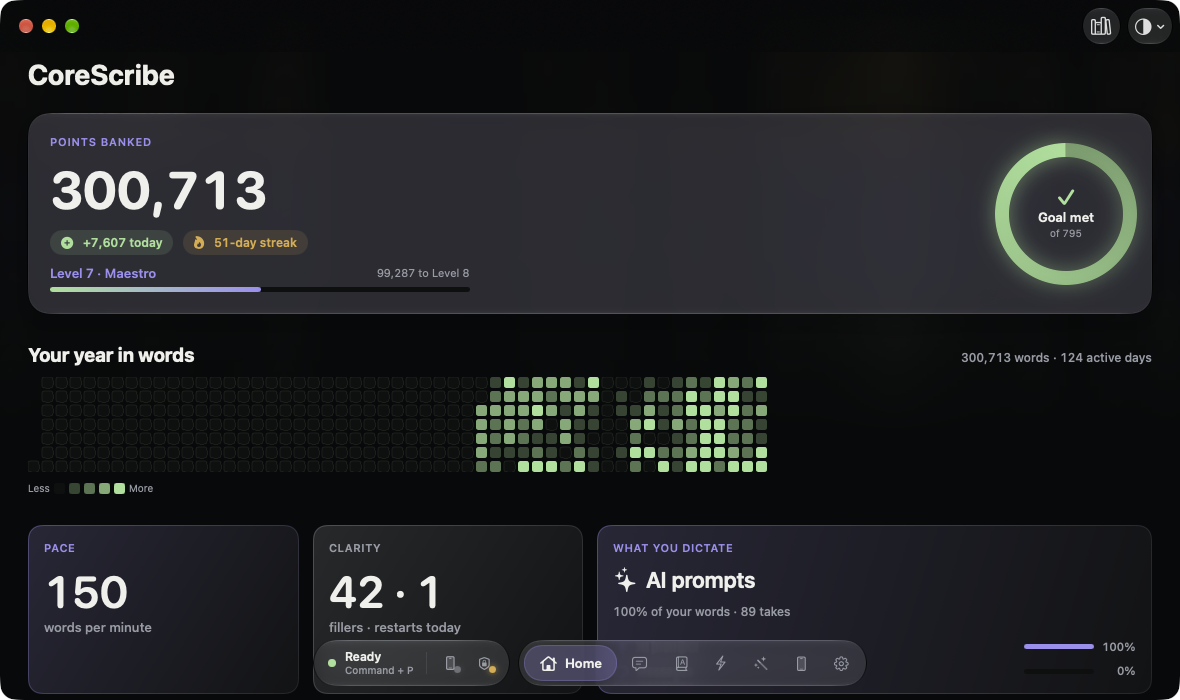
- Takes
- Your last seven days, up to 200 takes. Copy the original whenever you want your exact words.
- Vocabulary
- Teach it names and terms. A correction is remembered only after you approve it.
- Actions
- Voice commands and macros: when you say this phrase, do that.
- Rewrite styles
- Faithful, polished or clinical, chosen per app.
4 · Point
Control your Mac by voice, and from your iPhone
Voice commands work on the Mac today. CoreScribe Remote, the iPhone trackpad, is in development.
CoreScribeRemote
Connected
Drag here
CopyPasteSelect allDelete
- Control the Mac by voice. Hold ⌥⌘P and say “open Safari” or “tile Notes top right”. CoreScribe also snaps windows, searches and moves windows to another screen, and types nothing. This works on the Mac today.
- Use your iPhone as a trackpad. CoreScribe Remote, which is in development, supports tap, drag, right-click and pinch.
- Tap keys that match the app in front. The Touch Bar shows Quick Look in Finder, and Back and Forward in Safari. Press and hold for Copy, Paste, Select all and Delete.
- Aim with your wrist, or speak into the phone. The motion pointer follows your wrist, updating about 100 times a second. Hold the island and speak, and the audio goes to your Mac over your own network, encrypted.
- CoreScribe Remote is in development. This iPhone app pairs with your Mac over your own network and adds a trackpad, a motion pointer and Touch Bar keys.
- Use it as a trackpad. You can tap, drag, right-click and pinch, and slide along the edge to scroll.
- Tap keys, or tilt to aim. Undo, Copy, Paste and your tools sit under your thumb, and the keys follow the app in front. Press and hold for a four-way menu. Tilt the phone to aim with your wrist; the motion pointer updates about 100 times a second.
- Speak into the phone. Hold the island and talk. The audio crosses your own network, encrypted, and CoreScribe types the text where your Mac’s cursor is.
- Voice commands work on the Mac today. Hold ⌥⌘P and say “open Safari”. Windows open, snap and tile, and nothing is typed.
In development CoreScribe Remote pairs with your Mac over your own network. The phone screen is a real render of the Remote from its own test harness, with sample numbers, shown on Apple’s iPhone 18 Pro model, and the laptop is Apple’s MacBook Pro model. Voice commands work on the Mac today.A real render of the Remote, on Apple’s iPhone 18 Pro and MacBook Pro models.
Your voice isn’t sent to the cloud
Below is what stays on your Mac and what can leave it, with the condition for each.
With only your Mac, your voice stays on your Mac. The path runs from the microphone through the recognizer and, when a take needs it, Apple Intelligence polish, and then the text is typed into your app.
With your iPhone, your voice goes to your Mac over your own network. The link is encrypted. You pair the phone with a code that expires after five minutes, and it then trusts only your Mac’s certificate. CoreScribe Remote is in development.
Stays on your Mac
- Your voice. Recognition, cleanup and typing all run on the Mac in front of you, and CoreScribe never uploads audio, so it can’t train anyone’s model.
- Your vocabulary and the corrections you approve.
- Your takes. Take History shows the last seven days, up to 200 takes, and release builds also keep an encrypted archive of each take on your Mac until you delete it.
Can leave, and when
- With the iPhone Remote, audio goes from your phone to your Mac over your own network, encrypted (TLS 1.3).
- Apple’s speech model downloads once, from Apple.
- In release builds, nothing else leaves your Mac. Developer builds also include optional OpenAI and Gemini tools that send text only, never audio; they are off by default and blocked in the Clinical profile.
No CoreScribe account, no analytics and no crash reporters. No third-party Swift packages: the app bundles a few MIT-licensed open-source parts, including whisper.cpp as a fallback recognizer, and the rest is written for CoreScribe.
Using CoreScribe with patient information. CoreScribe recognises and polishes speech on your Mac. We run no servers that receive your audio, transcripts or vocabulary, so we never see your patients’ information and we don’t sign business associate agreements. Whether you may dictate patient information is a decision for your practice’s HIPAA program, and nothing on this page is a HIPAA certification — no such certification exists. Today, release builds keep an encrypted copy of every take’s audio and text on your Mac until you delete it, and have no app lock or audit log yet. A Clinical mode with those controls is in development.
How it’s built
Five components. Audio goes in, text comes out, and a spoken command runs as an action: audio -> model -> text -> prose/action
- CoreScribe for Mac
- Captures your voice, recognizes it, cleans it up, types it, and runs Studio.
- CoreScribe Remote
- The iPhone app, in development: trackpad, motion pointer and push-to-talk.
- Remote Protocol
- How the two apps pair and talk: encrypted with TLS 1.3, carrying audio and pointer movement.
- VoiceKit
- Spoken formatting: “new line”, numbers, lists, filler removal and your corrections.
- Privacy Kit
- Redacted logs and encrypted local storage.
About 127,000 lines of Swift, covered by more than 1,300 automated tests.
How CoreScribe compares
This section tests Apple’s recognizer against Whisper, then shows what other dictation apps say about themselves.
Apple, on-deviceSpeechTranscriber
0.30 s
Whisperwhisper.cpp
1.64 s
0 s1 s2 s3 s
5.6× faster on average. The tick on each bar marks the time that only 1 take in 20 exceeded.
Timings come from thirty real takes on one Apple silicon Mac, run on 2 September 2026. They measure speed only, and the two engines agreed on 90% of words. Accuracy against human-checked transcripts hasn’t been compared yet. Whisper remains available in CoreScribe as an option.
| Question | CoreScribe | Wispr Flow | Superwhisper | MacWhisper | Apple Dictation & Voice Control | Talon | Dragon |
|---|---|---|---|---|---|---|---|
| Where speech is recognized | On your Mac, by Apple’s on-device models | In the cloud, always1 | Your choice: on-device or cloud5 | On your Mac by default; cloud optional9 | Dictation: on-device or Apple’s servers, depending on your Mac and language11 | Not stated | No Mac version since 201815 |
| Works offline | Yes, after Apple’s one-time model download | No, internet required2 | Yes, with local models5 | Yes10 | Voice Control: yes, after a one-time download13 | Not stated | — |
| Account required | No | Yes2 | Not for offline mode6 | Not stated | Not stated | Not stated | — |
| Your words and model training | Never leave your devices, so they can’t train anything | “Improve the model for everyone” is on by default for Free and Pro; you can turn it off3 | States data isn’t used for training7 | Not stated | Stored only if you opt in to Improve Siri and Dictation12 | Usage metrics exclude speech14 | — |
| AI cleanup | Apple Intelligence, on-device, checked by CoreScribe | Yes; may use third-party language models1 | Local or cloud (Pro)5 | Through AI providers; cloud unless you run one locally9 | Automatic punctuation11 | Not stated | — |
| Pointer control | Voice window commands; iPhone trackpad and motion pointer over your own network (in development) | Not stated | Not stated | Not stated | Voice Control grid and head pointer13 | Eye tracking, noise clicks, mouse grid14 | MouseGrid, on Windows15 |
| Platforms | Mac, with iPhone Remote | Mac, Windows, iPhone, Android2 | Mac, Windows, iOS, Android8 | Mac, iOS10 | Built into macOS | macOS, Windows, Linux14 | Windows15 |
| Price | Private pilot | Free tier; Pro $15/month, or $12 billed yearly4 | Free tier; $8.49/month, $84.99/year or $249.99 once8 | Free; Pro €64 once10 | Included with macOS | Free; Talon+ through Patreon14 | Contact sales15 |
Checked on 27 September 2026 against each company’s own pages. “Not stated” means we couldn’t find it in their documentation, not that the answer is no. Products change; the linked pages are the authority.
- Wispr Flow, Data Controls
- Wispr Flow Help, What is Flow
- Wispr Flow Help, Privacy Mode and cloud sync
- Wispr Flow, Pricing
- Superwhisper, Models
- Superwhisper, Offline transcription
- Superwhisper, Privacy
- Superwhisper, Pro
- MacWhisper, Keeping transcriptions private
- MacWhisper
- Apple, Use Dictation on Mac
- Apple, Siri and Dictation privacy
- Apple, Voice Control on Mac
- Talon Voice
- Nuance, Dragon for Mac discontinued (22 Oct 2018)
Request a place in the private pilot
CoreScribe is in a private pilot. Tell us how you’d use it, and we’ll send you the Mac app when your spot opens.
- CoreScribe for Mac
- macOS 27 on an Apple silicon Mac. Sent to pilots when their spot opens.
- CoreScribe Remote
- iPhone, iOS 27, pairs with your Mac. In development; pilots get it when it’s ready.